
OpenClaw Review: Is It Worth the Hype? (Honest Take for 2026)
OpenClaw has been one of the most talked-about AI tools in 2026. In the span of just a few weeks, it went from a niche open-source project to a viral sensation, with users across Reddit, X, and developer forums either singing its praises or warning others to stay away.
But here is the thing: most reviews you will find online either overhype it or completely dismiss it. The reality is somewhere in the middle, and if you are trying to figure out whether OpenClaw is right for you, you deserve a straight answer.
This review is based on real community feedback, independent security research, and hands-on use cases. The goal is to give you a clear, honest picture of what OpenClaw is, what it does well, where it falls short, and most importantly, how you can overcome the challenges.
Key Takeaways
- OpenClaw is a self-hosted, open-source AI agent that can execute real tasks on your behalf, not just chat about them.
- Its biggest strengths are persistent memory, deep automation, and broad integrations with messaging apps like WhatsApp and Telegram.
- Its biggest risks are a steep setup process, high API costs, and serious security concerns when run without proper sandboxing.
- Hosted alternatives like TryOpenClaw.io exist specifically to eliminate the setup friction and security risks while keeping all the core functionality.
What Is OpenClaw?
OpenClaw is an open-source AI assistant designed to act as a bridge between your chat apps and your operating system. Unlike traditional AI chatbots that simply respond to questions, OpenClaw is an autonomous agent with hands. It can open a browser you do not see, read and write files, execute scripts, manage your calendar and email, and run scheduled tasks around the clock.
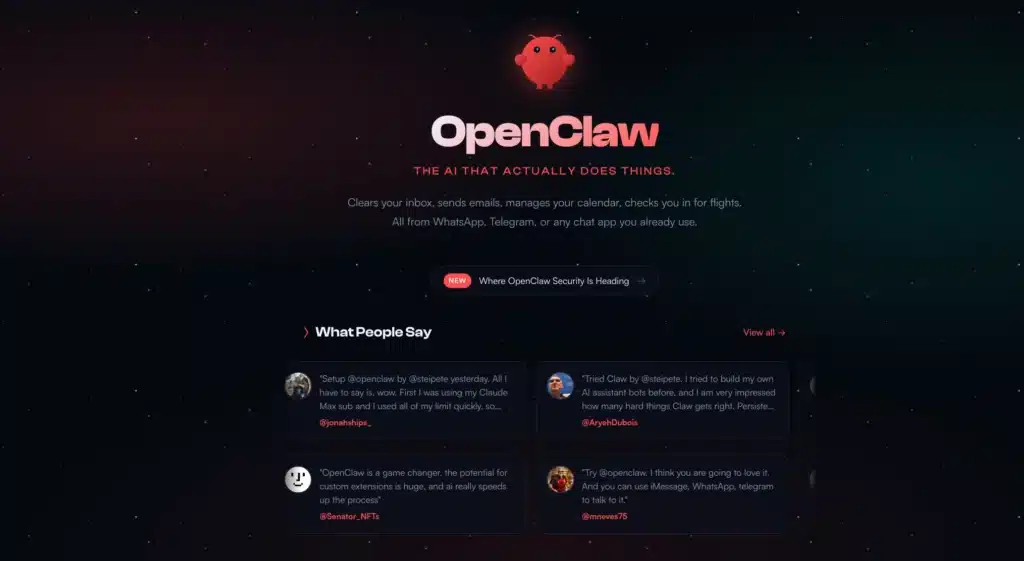
You can interact with it through messaging applications you already use, including WhatsApp, Telegram, Slack, Signal, and Discord. While you are at dinner or commuting, you can send your bot a command and it will execute the task on whatever machine it is hosted on.
Some of the core things OpenClaw can do:
- Persistent memory: It stores context, preferences, and history across sessions so it actually remembers who you are and what you care about.
- Browser control: It can navigate the web, fill out forms, scrape data, and interact with web-based services autonomously.
- File management: It reads, writes, and organizes files on its host machine.
- Cron jobs: You can schedule it to check your inbox every 15 minutes, pull a news briefing every morning, or run any recurring task on a timer.
- Skills ecosystem: The community can publish and install “skills” from a shared registry, extending the agent with new abilities or third-party integrations.
OpenClaw’s history and how it evolved from a small experiment into a widely adopted personal AI agent is a fascinating read in its own right. The short version: it started as Clawdbot, was renamed Moltbot, and eventually became OpenClaw as its capabilities expanded and its user base exploded.
For a deeper look at how all the features work together, the complete OpenClaw features guide breaks everything down in detail.
The Biggest Advantages of OpenClaw
What makes OpenClaw stand out is how deeply it integrates into everyday workflows. Here are the biggest advantages behind its growing popularity:
- Access AI directly inside your messaging apps
- Choose any language model you want
- Persistent long-term memory
- Free and open-source architecture
- Extensive skills and automation ecosystem
- Fully automated scheduled workflows
- Full control over where your data is stored
- Large and active open-source community
Let’s dive in.
1. Access AI Inside Your Messaging Apps
OpenClaw can be accessed directly through messaging platforms like Telegram, WhatsApp, Slack, Signal, and Discord. Instead of opening ChatGPT or Claude in a separate browser tab every time you need help, you talk to your AI agent the same way you message a coworker or assistant.
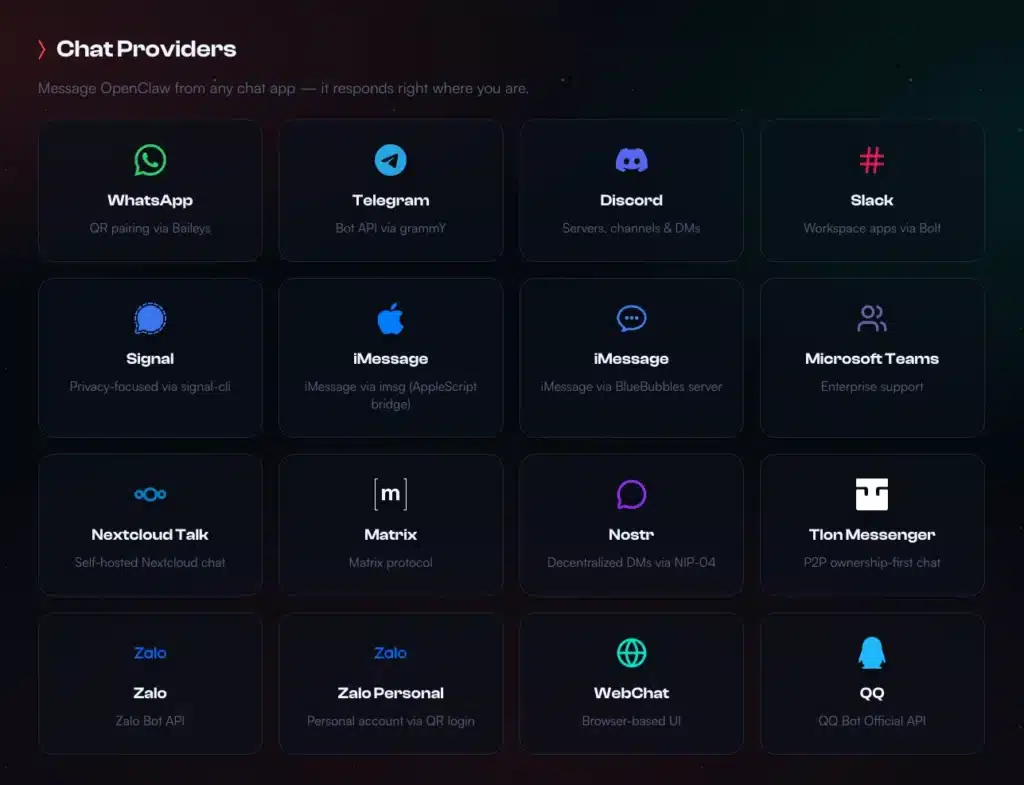
The difference in practice is significant: you will actually use AI more often when it lives inside your existing workflow rather than requiring an app switch every time. It sounds like a small convenience, but it meaningfully changes how often and how naturally you reach for AI assistance.
That difference changes the entire experience. Traditional AI platforms are mostly destination-based: you open the app, ask a question, then go do the work yourself. OpenClaw stays embedded inside your daily workflow, continuously available across the tools you already use. The result feels less like using a chatbot and more like having a persistent AI operator that is always one message away.
2. Fully Automated Workflows
OpenClaw is designed to run complete workflows automatically in the background: monitor emails, generate reports, summarize meetings, update spreadsheets, or send recurring reminders on a schedule. Once configured, it keeps working without needing manual prompts every time.
While platforms like ChatGPT and Claude now offer agent features, their automation capabilities are still relatively limited and often require users to stay involved throughout the workflow. OpenClaw is built differently: it acts as a persistent automation layer that can continuously operate across apps, files, browsers, and messaging platforms with minimal supervision.
This can significantly improve operational efficiency, especially for repetitive tasks or large-scale workflows that would normally require constant manual effort. A real-world content audit test showed OpenClaw completing in 37 minutes what would have taken a human 70 minutes, and the time advantage scales dramatically as task volume increases.
3. Choose Any AI Model You Want
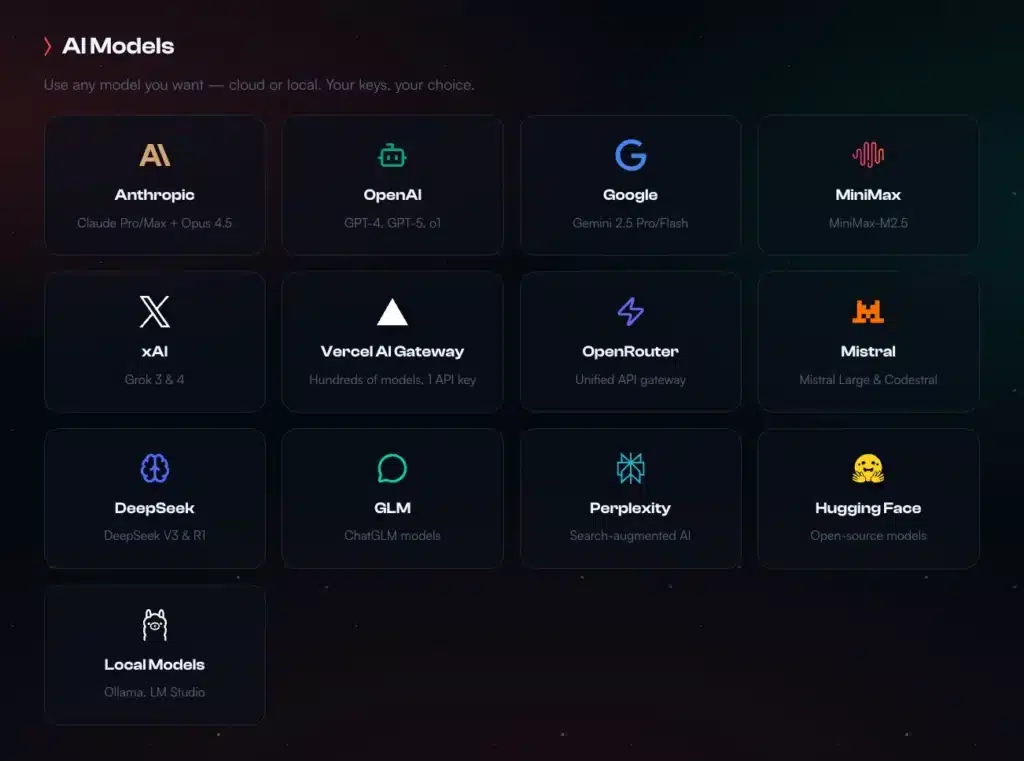
OpenClaw does not lock you into one model. You can connect Claude (Anthropic), GPT (OpenAI), Gemini (Google), Llama, Mistral, or run free models locally via Ollama. You can even configure OpenClaw to automatically route tasks to the right model: Claude for writing, GPT for data analysis, Llama for simple tasks to keep costs down. No other personal AI agent offers this level of model flexibility out of the box.
4. Persistent Memory That Actually Persists
Most language models don’t retain every detail you say indefinitely, especially as conversations become longer and older context gets compressed or summarized.
Meanwhile, OpenClaw stores memory in a memory.md file that evolves with every interaction you make. It learns that you are an early riser, or that you want email replies in a specific tone, and that “The Project” refers to your Q3 product launch. This contextual awareness makes it feel less like a tool and more like a capable assistant who has been working with you for months.
5. Completely Free and Open Source
The OpenClaw software itself costs nothing. You only pay for the AI model you connect to, and if you use free models or run Ollama locally, the total cost is zero. More importantly, because it is open source, you are never locked into any vendor. Your data, your configs, and your setup belong entirely to you. You can audit the code, fork it, modify it, or migrate away whenever you want.
6. Skills System for Unlimited Extensibility
Skills are add-ons that extend what OpenClaw can do, similar to installing apps on a phone. From SEO writing and Telegram group management to Excel analysis and email drafting, ready-made skills are available on ClawHub. You can install community-built skills for specific workflows or create entirely custom skills for your own needs. The ecosystem is actively growing, which means OpenClaw’s capabilities expand over time without requiring any changes to the core software.
7. Your Data Stays With You
If you self-host OpenClaw, all data stays on your own machine. No conversations are sent to a third-party platform, used to train models, or shared with anyone else. Even if you use OpenClaw’s cloud solution like TryOpenClaw.io, each user gets a fully isolated server instance rather than a shared environment. Either way, you retain control over your data in a way that most SaaS AI tools do not offer.
8. Active Community and Regular Updates
OpenClaw has a thriving developer community on GitHub, as of writing this article the community has grown to more than 77,500 members. New versions ship regularly, bugs get addressed quickly, and features are added based on real user feedback rather than a closed product roadmap. For a free and open-source tool like this, the pace of development and the quality of community support are genuinely impressive.
Curious where OpenClaw users share workflows, prompts, and troubleshooting tips? Check out our full community guide.
Real Challenges You May Face With OpenClaw
Being honest about the downsides is the whole point of this review. The community feedback is clear, and you should know what you are getting into.
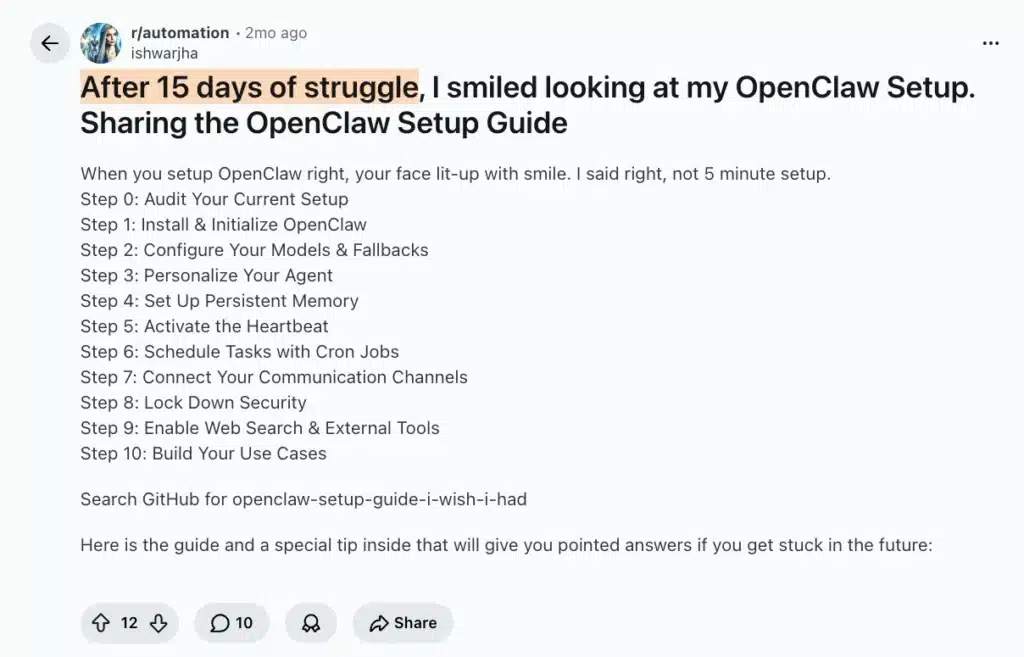
1. The Setup Is a Project, Not a Product
Installing OpenClaw is not like downloading Spotify. You need Docker, familiarity with command-line interfaces, API key management across multiple providers, and the patience to troubleshoot port conflicts and environment errors. Multiple Redditors reported spending days or even weeks for the initial set up steps.
2. Unpredictable API Costs
The software itself is free, but the AI models behind it are not. Because OpenClaw is an autonomous agent that thinks, retries, browses, and runs multi-step workflows, it can burn through API tokens much faster than a normal chatbot.
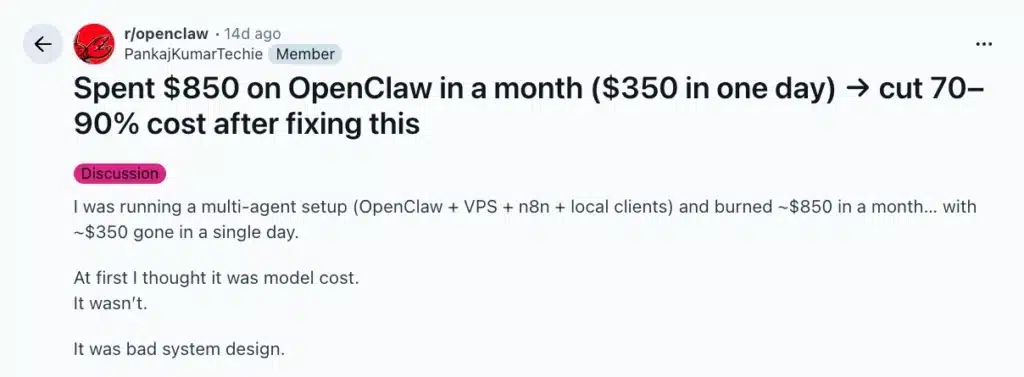
This is especially risky for beginners who do not yet know how to optimize workflows, control retries, or choose cheaper models for simple tasks. Poorly configured automations and multi-agent setups can quickly lead to unexpectedly high costs.
A redditor reported spending $850 on OpenClaw in a month ($350 in one day), while another said that using LLM APIs costs a fortune. In many cases, the issue is not OpenClaw itself, but inefficient workflow design and lack of cost controls.
3. Serious Security Risks Without Proper Sandboxing
This is the most important section of this review. When you run OpenClaw on your personal computer, you are giving an autonomous AI agent read and write access to your local file system. It can delete files. It can run shell commands. It has been reported to leak plaintext API keys and credentials through unsecured endpoints.
Cisco’s AI Threat and Security Research team ran a test using a third-party skill called “What Would Elon Do?” against OpenClaw. The results were stark: the skill successfully executed a silent data exfiltration command, conducted a direct prompt injection to bypass safety guidelines, and embedded malicious bash commands through its workflow. The scan surfaced nine security findings, including two critical and five high severity issues.
4. A Bloated Codebase With Real Bugs
Technical reviewers and AI researchers have criticized OpenClaw’s rapidly growing codebase as overly complex and difficult to secure. In a post discussing the ecosystem, Andrej Karpathy described OpenClaw as a “400K lines of vibe coded monster,” raising concerns about exposed instances, supply chain poisoning, malicious skills, and security vulnerabilities.
As the project expands with more integrations, skills, and automations, the system can become harder to debug, maintain, and update reliably. Users frequently report dealing with configuration issues, unstable sessions, and workflows that require constant troubleshooting, especially in more advanced multi-agent setups.
5. Automatic Memory Can Become a Mess
The memory system is one of OpenClaw’s greatest strengths and can also work against you. It saves context automatically, which means it can store irrelevant or incorrect information that pollutes future interactions.
For example, if you casually mention that you prefer short email replies or temporarily switch projects for a week, OpenClaw may continue applying those assumptions long after they stop being relevant. Without regular maintenance of the memory.md file, the agent’s understanding of your preferences can drift in unhelpful directions.
7. Poor Usability for Non-Technical Users
The interface looks like the matrix. There are no buttons, no progress bars, no undo functions. When the agent is processing a complex request, the terminal sits static for 45 seconds or more with no feedback at all.
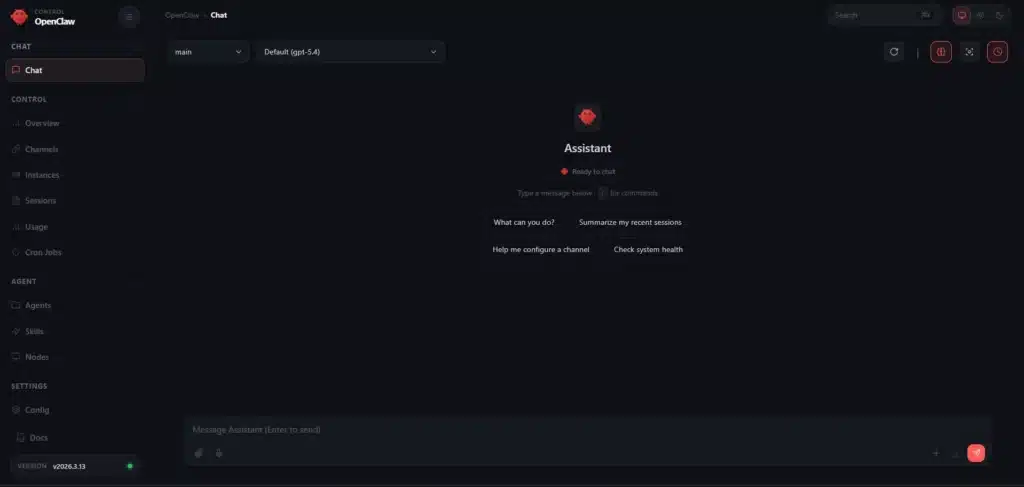
For anyone not already comfortable with CLI tools and Docker, the cognitive load of operating OpenClaw often exceeds the benefit of using it.
How to Overcome OpenClaw’s Cons (Without Abandoning the Tool)
Most criticisms of OpenClaw come down to three things: setup friction, security risk, and unpredictable API costs. Let’s address them one-by-one.
1. Start Small Instead of Automating Everything
One of the biggest mistakes beginners make is trying to build complex multi-agent systems immediately. I recommend starting with a single agent, simple workflows, and read-only tasks before giving the system broader permissions.
For the first week, the goal should be learning how the agent behaves, monitoring token usage, and setting clear boundaries, not building a fully autonomous AI employee overnight.
2. Use Sandboxing to Reduce Security Risks
Infrastructure matters more than most people expect. Running OpenClaw directly on a personal machine can create serious security and maintenance risks, especially for non-technical users.
A safer approach is running the agent inside an isolated cloud or container environment. If something breaks or behaves unexpectedly, the damage stays contained instead of affecting your main device, files, or accounts.
3. Avoid Installing Too Many Skills Too Early
As ShabzSparq (a Redditor) recommended: avoiding random community skills during the early learning phase. While the OpenClaw ecosystem is powerful, installing too many third-party skills too quickly can create security, stability, and debugging problems.
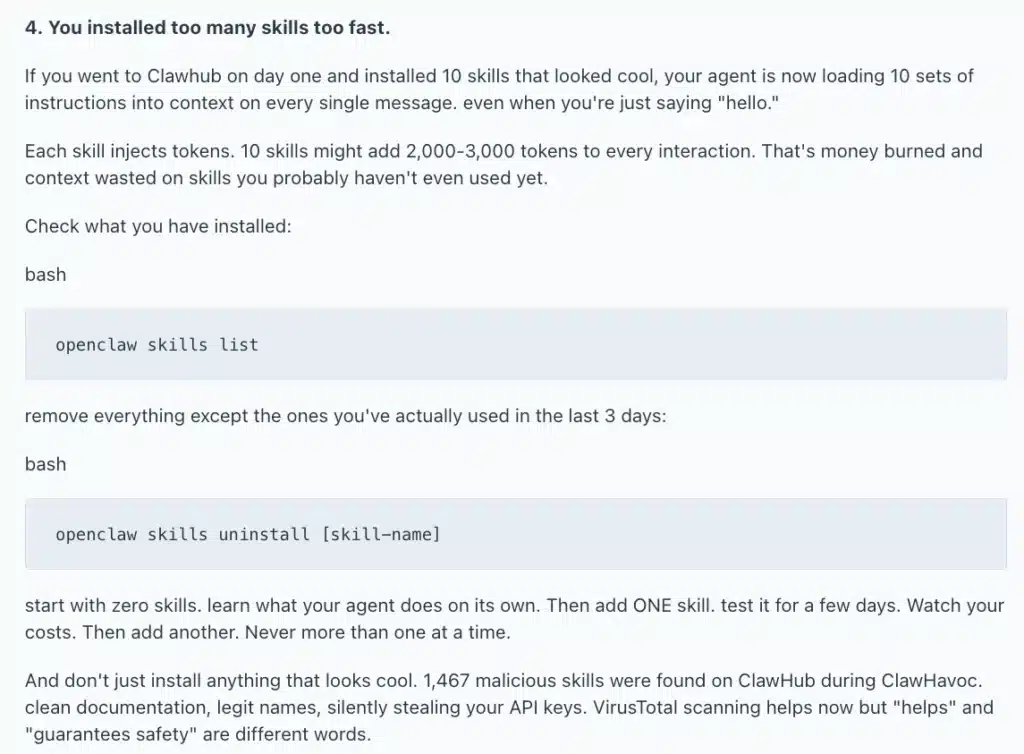
The safest approach is adding skills gradually, testing them carefully, and understanding what each one can access before expanding your setup.
4. Managed Hosting Removes Most Setup Friction
This is one reason managed platforms like TryOpenClaw.io exist. Instead of manually configuring Docker, gateways, API providers, and server infrastructure, the platform focuses on simplifying the operational side of OpenClaw. Instant setup, cloud hosting, built-in AI access, and prebuilt workflows help users reach their first successful automation much faster.
5. Workflow Discipline Helps Control API Costs
A large portion of OpenClaw cost problems come from inefficient workflows rather than the software alone. Here are what users should do:
- Use cheaper models for lightweight tasks
- Limit retries and autonomous loops
- Clear long conversations regularly
- Avoid multiple agents too early
Managed platforms can also reduce costs significantly. Tools like TryOpenClaw.io already integrate with multiple language models, so users do not need to create and manage separate API accounts themselves. Instead of being locked into a single expensive model, users can switch between providers depending on the task, using cheaper models for simple workflows and stronger models only when needed. This makes experimentation much more flexible and often far more cost-efficient for beginners.
Final Thoughts: Is OpenClaw Worth Trying?
OpenClaw is not the overhyped mess that the most negative reviewers describe, and it is not the revolutionary productivity tool that its most enthusiastic advocates claim. It is something more interesting than either: a genuinely powerful piece of software that delivers real value in the right hands and real risk in the wrong ones.
- The capability is real. Persistent memory, browser control, scheduled automation, messaging integration, and a growing skill ecosystem make OpenClaw one of the most capable personal AI agents available today. For the right user running it in the right environment, it can function like an autonomous employee who works while you sleep.
- The risk is also real. Running it naively on your personal machine without sandboxing is a bad idea that the security research clearly validates. The setup friction is not minor. The API costs can surprise you if you are not paying attention.
- The verdict: OpenClaw is worth trying if you approach it with the right setup. That means using a sandboxed environment, starting with a managed platform like TryOpenClaw.io to bypass the infrastructure headaches, scoping your tasks clearly, and not treating it as a production tool until you understand its behavior.
The concept behind OpenClaw is genuinely the future of personal AI. The question is not whether agentic AI is worth investing in. It clearly is. The question is whether you are ready to use it responsibly, and whether you have the right environment to do so safely.
If both answers are yes, OpenClaw is worth your time.
Frequently Asked Questions
OpenClaw can feel overwhelming at first, so here are clear answers to the questions most users have before jumping in.
How trustworthy is OpenClaw?
OpenClaw is a legitimate open-source project with a publicly auditable codebase. The core software itself is not the risk. The trust issue arises from unvetted third-party skills and running the agent without proper sandboxing on a machine that holds sensitive personal data.
Is it safe to use OpenClaw?
It can be, but it is not safe by default. Cisco’s security research found that a malicious skill was able to silently exfiltrate data and bypass safety guidelines in a live test. Running OpenClaw in an isolated, sandboxed environment like TryOpenClaw significantly reduces this risk.
Is OpenClaw overhyped?
Partly. For technical users who deploy it correctly, the capability is real and the hype is close to justified. For casual users expecting a plug-and-play experience, the setup friction, API costs, and security risks make it fall well short of the promise.
Is OpenClaw better than Claude Code?
They serve different purposes. OpenClaw is a general-purpose life automation agent. Claude Code is a purpose-built coding tool with deep codebase understanding. For programming tasks, Claude Code wins decisively. For managing emails, files, and scheduled automations, OpenClaw is the right choice.
Will Anthropic ban you for using OpenClaw?
No. OpenClaw calls the Anthropic API using your own API key, which is fully permitted. Anthropic does not restrict how you build on top of their API as long as your actual use cases comply with their usage policies.
What is so special about OpenClaw?
Unlike passive chatbots that just answer questions, OpenClaw executes tasks on your behalf around the clock. It combines persistent memory, browser control, scheduled automation, and messaging app integration into one agent that works while you are not at your desk.
Related Posts

AI Agent có thể viết code cho dự án cá nhân không?
Cách nhờ OpenClaw tìm lỗi trong code