
Best OpenClaw Skills: 25 Must-Have Skills by Category (2026)
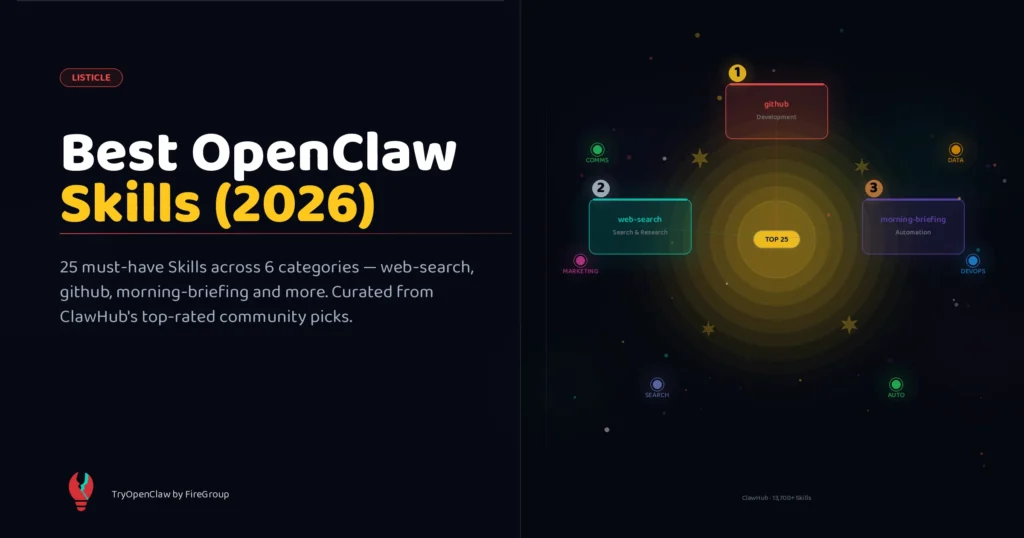
ClawHub currently hosts over 13,700 community Skills — which means the hardest part of getting started isn’t installing Skills, it’s figuring out which ones are actually worth having.
This list cuts through that problem. These 25 Skills are consistently rated, widely used, and structurally sound — the kind of Skills that work reliably in production rather than just looking impressive in a demo. They span six categories, and at the end you’ll find four curated stacks depending on how you use OpenClaw.
Context: OpenClaw Skills: Complete Guide explains what Skills are and how to install them. This list assumes you already know the basics.
How this list was compiled
Sources consulted: official OpenClaw documentation, the ClawHub registry repository, the awesome-openclaw-skills community list (46,700+ GitHub stars), the awesome-openclaw-usecases repository, and production usage reports from the LumaDock OpenClaw community forum.
Selection criteria: skill quality (clear runbook, explicit failure handling, gated dependencies), community signals (installs, reviews, update recency), and real production use — not just star counts.
One reminder before you install: ClawHub is open-upload with community moderation, not a curated store. Always read a Skill’s body before installing anything that executes shell commands or connects to external services. The Feb 2026 incident — where 341 malicious Skills were found targeting crypto users — is a good reason to stay careful.
🔍 Search & Research Skills
1. web-search
The most-installed Skill on ClawHub. Gives OpenClaw real-time Google search with result synthesis, source citation, and follow-up query chaining. Solves OpenClaw’s biggest limitation out of the box: training data cutoffs.
/skill install web-searchUse it for: competitive research, fact-checking answers, monitoring news keywords. Pairs naturally with peekaboo for URL-level reading.
2. peekaboo
Reads and extracts content from any URL — web pages, blog posts, documentation, PDFs hosted online. While web-search gives you the list, peekaboo gives you the content. Official OpenClaw documentation lists this as one of six essential Skills.
/skill install peekabooUse it for: deep research, summarizing competitor pages, extracting pricing tables from websites you can’t access by API.
3. openclaw-free-web-search
A community-built alternative to web-search that routes through free search APIs rather than paid ones. Slower and less accurate than the commercial version, but zero cost — useful for self-hosted OpenClaw setups where budget matters.
/skill install openclaw-free-web-searchNote: install either web-search or this one, not both — overlapping descriptions will cause unpredictable invocation.
4. academic-search
Searches arXiv, Semantic Scholar, and PubMed. Returns paper summaries, citation counts, and author information. Built for researchers and developers who need to reference technical literature, not just web results.
/skill install academic-search💻 Development & DevOps Skills
5. github
Probably the most feature-complete integration Skill in this entire list. Reads issues and PRs, posts comments, creates branches, auto-labels and triages new issues, and links Slack threads to GitHub activity. Surfaces in the official docs as a core recommended Skill.
/skill install githubRequires: GITHUB_TOKEN environment variable. The Skill gates itself out cleanly if the token isn’t set — it won’t appear in your context until you configure it.
Use it for: daily PR triage, auto-labeling issues, pulling commit histories into reports.
6. agentic-devops
Extends OpenClaw with a full DevOps execution layer: SSH into servers, run deploy scripts, check service health, tail logs, restart processes. Community-built but frequently updated and one of the most technically serious Skills on ClawHub.
/skill install agentic-devopsThis Skill uses disable-model-invocation: true for its destructive commands (deploy, restart). You trigger those explicitly — the AI won’t run them automatically.
7. deploy-monitor
Watches your CI/CD pipelines (GitHub Actions, CircleCI, GitLab CI) and sends Telegram notifications with build summaries. Tells you what failed, which step, and what the error output was — without you having to open the dashboard.
/skill install deploy-monitor8. error-tracker
Connects to Sentry or Datadog, summarizes new error groups, and suggests potential root causes based on stack traces. Works well when combined with github — it can automatically create issues from new Sentry alerts.
/skill install error-trackerRequires: SENTRY_TOKEN or DATADOG_API_KEY environment variable (depending on which platform you use — set only the one that applies).
9. agent-brain
The “meta-skill” in the developer category. Gives OpenClaw a persistent memory layer — past decisions, project context, learned preferences — across sessions. Without it, OpenClaw starts each session fresh. With it, it remembers that you prefer TypeScript over JavaScript, that you use a specific deploy process, and how you like error summaries formatted.
/skill install agent-brainInstall this early. It improves every other Skill over time.
📧 Communication & Email Skills
10. gmail-manager
Reads, categorizes, and labels email. Summarizes long threads. Drafts replies in your voice. Flags time-sensitive messages and surfaces them via Telegram. One of the original “killer app” Skills — the one that made a lot of people understand what OpenClaw is actually for.
/skill install gmail-managerRequires: GOOGLE_OAUTH_TOKEN — set up via the Google Workspace connector or manually. The Skill is fully gated and won’t load without the token.
11. slack-connector
Reads Slack messages, monitors specified channels, and sends messages on your behalf. Useful for teams using OpenClaw as an async team member — it can post daily digests, alert on keywords, and respond to direct messages following rules you define.
/skill install slack-connectorRequires: SLACK_BOT_TOKEN.
12. calendar-sync
Reads Google Calendar events, creates new events, and sends reminders. Often installed alongside gmail-manager as part of a morning briefing setup — it surfaces your day’s schedule before you’ve opened a single app.
/skill install calendar-sync13. notion-connector
Reads and writes Notion databases and pages. Used for pushing research summaries, meeting notes, and task updates directly into Notion without switching apps. Pairs well with weekly-report for auto-syncing digest content.
/skill install notion-connectorRequires: NOTION_API_KEY.
📊 Data & Analytics Skills
14. sag
Short for “spreadsheet and graph” — reads CSV and Excel files, performs analysis, generates summary reports, and produces chart descriptions. Listed in OpenClaw’s official documentation as a core bundled-category Skill. Handles files up to 50MB reliably.
/skill install sagNo external dependencies or API keys required. One of the cleanest Skills structurally — good reference if you’re learning how to write your own.
15. sql-query
Runs read-only SQL queries against your configured database and returns results in plain language. Supports PostgreSQL, MySQL, SQLite, and BigQuery. The read-only constraint is enforced at the Skill level — it won’t run INSERT, UPDATE, or DELETE.
/skill install sql-queryRequires: DATABASE_URL environment variable.
16. analytics-reporter
Pulls data from Google Analytics (GA4), formats it as a weekly report with traffic, top pages, source breakdown, and conversion metrics, and sends it to your Telegram or email. Replace your Monday morning dashboard routine with one that arrives in your inbox automatically.
/skill install analytics-reporter17. price-monitor
Tracks product prices or competitor pricing across configured URLs, alerts you on changes above a threshold, and logs history. Classic “set it and forget it” automation — runs as a cron job.
/skill install price-monitorThis is also frequently cited as a good learning example Skill — its runbook body is short, well-structured, and demonstrates the gating pattern correctly.
🎯 Marketing & Content Skills
18. adaptlypost
Creates channel-adapted social media posts from a single source message. Input one piece of content, and adaptlypost produces Twitter/X, LinkedIn, and Instagram variants — each adjusted for the platform’s character limit, tone conventions, and engagement patterns.
/skill install adaptlypostCommunity-built. Frequently used by content teams running OpenClaw as a content pipeline worker.
19. content-writer
Creates blog posts, social copy, and email drafts following templates and brand voice parameters you configure. The value isn’t the raw writing — it’s that once configured, every output follows your style guide consistently.
/skill install content-writerConfiguration is done via the config block in the Skill settings — define your tone, avoid-words list, and preferred structure.
20. seo-analyzer
Analyzes web pages and returns SEO recommendations: keyword density, heading structure, meta description quality, internal link suggestions, and readability score. Useful before publishing any content — run it as part of your publishing checklist.
/skill install seo-analyzer21. keyword-tracker
Monitors search rankings for target keywords by querying search APIs daily. Sends Telegram alerts when rankings change significantly (configurable threshold). Keeps you informed without logging into rank tracking platforms.
/skill install keyword-tracker🤖 Automation & Workflow Skills
22. morning-briefing
The most popular scheduled Skill. Every morning at a configured time (default: 7am), it compiles weather, calendar events, unread email highlights, top news on your tracked topics, and key metrics — and sends the summary to your Telegram.
/skill install morning-briefingNo dependencies — it uses the bundled weather and search capabilities. Install this, configure your preferred news topics, and you have a daily briefing in under five minutes.
23. weekly-report
Gathers data from multiple sources (log file, GitHub issues, analytics endpoint, or any combination you configure) and generates a weekly digest on your schedule. The production version of this Skill — well-documented in the LumaDock community — is a good template for any multi-source aggregation workflow.
/skill install weekly-report24. bird
A lightweight notification router — sends structured alerts to Telegram or Discord based on triggers you define. Unlike full webhook handlers, bird is designed to be low-overhead and fast. Used by developers to pipe monitoring alerts, form submissions, or API events into their Telegram feed.
/skill install bird25. gemini
Adds Google Gemini as an available model backend for specific tasks. Use it when you want OpenClaw to route certain requests — image analysis, very long context tasks, video understanding — to Gemini’s capabilities while keeping everything else on your default model.
/skill install geminiRequires: GOOGLE_API_KEY.
Official bundled Skills worth knowing
These ship with OpenClaw and are always available — no install needed:
weather— fetches current conditions and forecasts from wttr.in, no API key. Used in most morning briefing setups.image-lab— image generation and basic editing via configured API. Listed in official docs as a core bundled Skill.session-logs— searches your JSONL session history usingripgrep. Solves the “compacted context” problem for long-running projects.humanizer— rewrites AI writing patterns: catches em-dash overuse, “delve,” “landscape,” “robust,” and the rule-of-three list pattern. Pure instruction, no tools.
Four skill stacks by use case
Rather than picking Skills randomly, start with a stack that matches how you use OpenClaw:
Daily Driver Stack (4 Skills, general productivity) web-search + gmail-manager + calendar-sync + morning-briefing Gets you real-time web access, email management, and a daily briefing in one setup.
Research Pipeline (4 Skills, knowledge work) web-search + peekaboo + academic-search + agent-brain Persistent memory plus multi-source research. Strong for analysts, writers, and researchers.
Developer Autopilot (5 Skills, engineering) github + deploy-monitor + error-tracker + agentic-devops + agent-brain Monitors your pipeline, triages issues, surfaces errors, and remembers your project context.
Content Machine (4 Skills, marketing) content-writer + adaptlypost + seo-analyzer + analytics-reporter Covers content creation, multi-channel distribution, SEO review, and performance reporting.
Token overhead: keep your stack lean
Every eligible Skill adds tokens to every turn — approximately 97 tokens per Skill before the body content is counted. With 25 Skills loaded simultaneously, you’re adding 2,400+ tokens before the AI says anything.
The practical rule: keep always-eligible Skills under 10. Gate the rest with requires.env or requires.bins so they only load when their prerequisites are present. Skills like github and gmail-manager self-gate when their required tokens aren’t set — which is exactly the behavior you want.
For a deeper explanation of the token math and how to use
disable-model-invocationandcommand-dispatchto control overhead, see How to Create OpenClaw Skills.
Frequently asked questions
Can I install all 25 of these at once? Technically yes, but don’t. Start with a 4–5 Skill stack, get it working, then add more as you identify real gaps. Too many Skills slow your sessions and increase cost.
Which Skill should I install first? If you install exactly one Skill today, make it web-search. It unlocks current information and is useful in almost every workflow.
Are these Skills free? All 25 listed here are free to install. Some Skills on ClawHub charge for premium versions or advanced features — those are clearly marked on the listing page.
How do I know if a Skill is safe to install? Read the body before installing. Look at what commands it runs (exec calls, network requests, sensitive file paths). Check the author’s GitHub activity and review history on ClawHub. When in doubt, start a test session with the Skill isolated. See OpenClaw Skills Security for the full checklist.
What if I need a Skill that doesn’t exist? Build one. The barrier is lower than most people expect — Skills that don’t use external tools are just Markdown files with a well-written runbook. How to Create OpenClaw Skills covers the full process.
Where to go from here
- ClawHub.ai — browse all 13,700+ Skills, filter by category, read reviews
- OpenClaw Skills: Complete Guide — how Skills work, install commands, full category overview
- How to Create OpenClaw Skills — write and publish your first Skill
- OpenClaw Skills Security — evaluate Skills before installing, hardening your setup
Related Posts
OpenClaw tìm lỗi code như thế nào
OpenClaw cloud chạy workflow 24/7 thế nào