What Is OpenClaw? How It Works, Applications & How To Set Up
You’ve probably heard the name “OpenClaw” floating around in a Telegram group, a tech thread, or a friend’s message, and now you’re here asking: what exactly is OpenClaw, and why is everyone suddenly talking about it?
Short answer: OpenClaw is one of the most talked-about AI tools in 2026, gaining over 300,000 GitHub stars in less than 60 days. But unlike traditional AI chatbots, OpenClaw can actually execute tasks, connect to your apps, and run continuously in the background like a real AI assistant.
This guide covers everything: what OpenClaw is, how it works, what makes it different from tools like ChatGPT or Claude, whether it’s safe, and the fastest way to start using it today.
Key takeaways:
- OpenClaw is an open-source AI assistant that can execute real tasks, not just generate text responses.
- Unlike traditional AI chatbots, OpenClaw runs persistently in the background and connects directly to apps like Telegram, WhatsApp, Slack, and Discord.
- OpenClaw works through three core layers: the Gateway (coordinator), the AI model (brain), and Channels (where users interact with it).
- Users can connect their own AI models including GPT, Claude, Gemini, DeepSeek, or local LLMs through Ollama.
- The biggest advantages of OpenClaw are local control, persistent memory, and autonomous workflows, but setup complexity and security risks remain major trade-offs.
What is OpenClaw?
OpenClaw is a free, open-source personal AI agent that executes tasks, not just answers questions. It runs locally on your hardware, connects to 20+ messaging platforms, and automates workflows across apps using extensible, community-built skills. You control the model, the data, and the behavior.
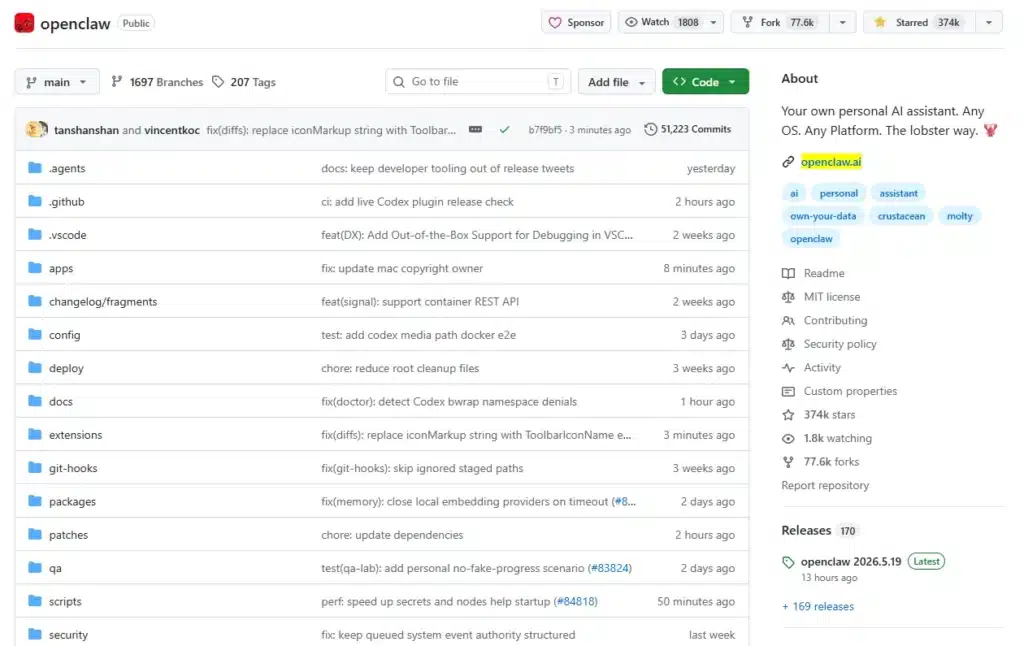
It is a massively popular open-source autonomous AI assistant framework that surged in popularity in late 2025 and early 2026. Originally introduced under names like Clawdbot and Moltbot, the project was created by Peter Steinberger as a way to turn large language models such as OpenAI GPT-5, Anthropic Claude, or DeepSeek into a persistent, always-running personal AI assistant.
Unlike traditional AI chatbots that live inside a browser tab, OpenClaw runs as a local background daemon on your own machine or private server. This allows the assistant to remain continuously active, maintain long-term memory, and proactively execute tasks on your behalf.
One of OpenClaw’s biggest differentiators is its messaging-first experience. Instead of opening a web app every time you want to interact with AI, you can chat with your assistant directly through platforms you already use every day, including WhatsApp, Telegram, Discord, Signal, and Slack.
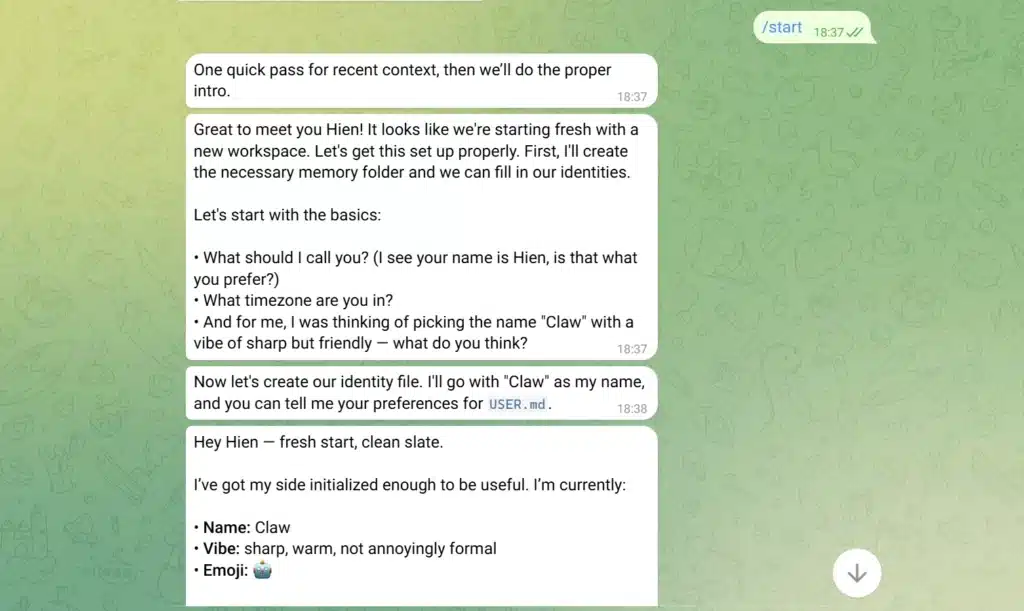
Think of OpenClaw like giving ChatGPT a phone, a WhatsApp account, and the keys to your computer. Instead of going to a website to talk to a robot, you just text this robot on your phone like a normal friend, and it can actually open your computer files, check your calendar, and do chores for you.
Some examples of what you can do with OpenClaw:
- You message on Telegram: “Summarize today’s important emails” → OpenClaw reads your inbox and sends back a summary
- You send an Excel file on Slack: “Analyze Q3 revenue” → OpenClaw processes the data and returns insights
- You ask on WhatsApp: “Write a Facebook post about our weekend sale” → OpenClaw drafts it in seconds
How OpenClaw Actually Works?
OpenClaw has 3 parts working together:
- Gateway (the coordinator): This runs in the background. It receives your message, sends it to the AI for processing, and returns the result. You never interact with it directly, it just works.
- AI Model (the brain): OpenClaw doesn’t generate answers itself. It sends your request to powerful AI models: Claude (Anthropic), GPT (OpenAI), Gemini (Google), or models running locally via Ollama. You choose which model and can switch anytime.
- Channel (where you talk): This is what you actually use: Telegram, WhatsApp, Slack, Discord, Signal, or OpenClaw’s own web interface. Instead of opening a separate AI app, you message from wherever you already are.
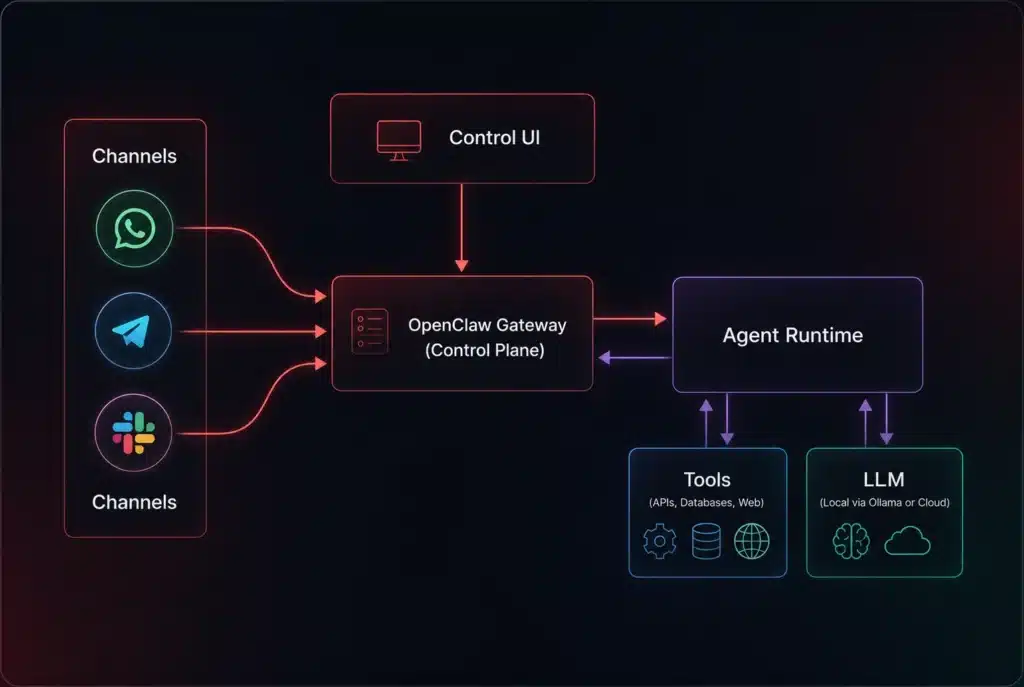
When you send a message, here is exactly what happens under the hood:
- You type in your channel. Telegram, Slack, Discord, WhatsApp, or any other supported chat.
- The channel connector forwards it to the Gateway. Your message gets routed into OpenClaw’s central processing layer.
- The agent runtime takes over. It reads the message, pulls relevant context, and decides what action to take.
- The agent acts. It either replies directly or calls external tools like APIs, databases, or web actions to get real work done.
- The response comes back to you. The reply flows back through the Gateway to the same channel you messaged from.
The flow looks like this: Your message → Channel → Gateway → AI Model → back to Channel → you see the answer.
The whole process takes a few seconds, inside the chat window you already have open.
What Can OpenClaw Actually Do?
OpenClaw doesn’t just answer questions, it executes tasks. Here are the most common use cases:
Writing and content drafting
Compose emails, write blog posts, create social media captions, draft video scripts, and translate content across languages. Just say “Write a leave request email for tomorrow” and OpenClaw drafts it in seconds.
You can also give it a tone, a target audience, or a word count and it will follow your constraints without needing multiple follow-ups.
File analysis and data processing
Send an Excel, CSV, or PDF and ask: “Summarize this month’s expenses”, “Compare Q2 vs Q3 revenue”, or “Find rows with missing data.”
OpenClaw reads the file, interprets the structure, and returns clear results. It works across common file formats and can handle multi-sheet spreadsheets or multi-page documents.
Automating repetitive tasks
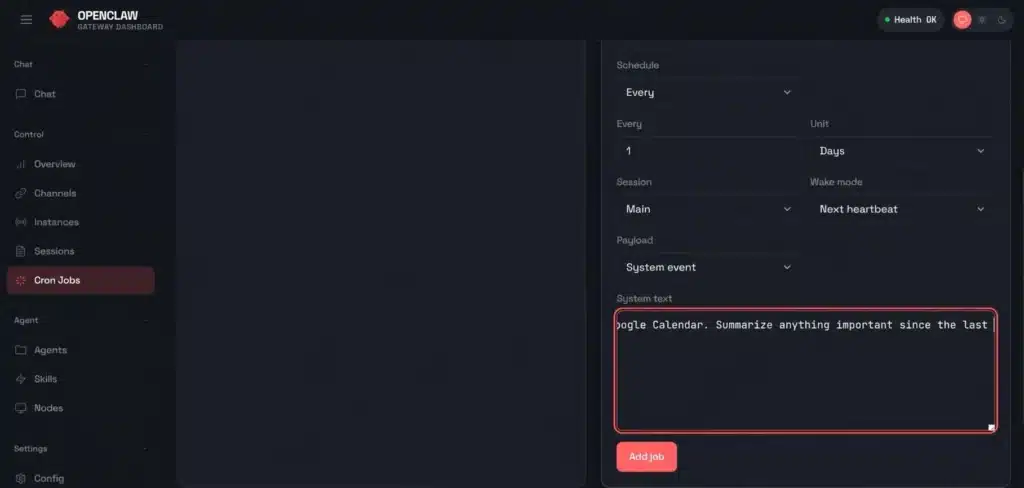
You can also schedule OpenClaw to handle the things you keep pushing off: daily reports, deadline reminders, morning news digests, and flagging important emails.
Set it up once and it runs on its own every day. You can also chain tasks together, for example, pull today’s data, summarize it, and send the summary to a specific Slack channel automatically.
Community and customer support
If you’re managing a Telegram group or Discord server, OpenClaw can automatically answer common questions, welcome new members, summarize long discussion threads, and send weekly activity reports to admins. It stays consistent, never goes offline, and handles volume that would burn out a human moderator.
Development support
For developers, OpenClaw works directly inside Slack or Discord. Ask it to write code, review pull requests, explain error messages, generate unit tests, or create documentation for existing functions. Through the connected AI model, OpenClaw can understand 50+ programming languages and switch context between them in the same conversation.
|
For a full breakdown of its capability, check out our complete OpenClaw features guide. |
What Separates OpenClaw From Traditional AI Platforms?
Unlike large language models like ChatGPT, Claude, or Copilot, OpenClaw is designed to do more than generate responses inside a chat window. It acts as a persistent AI agent that can execute tasks directly on your computer, interact with apps, and continue running in the background even when you’re not actively chatting with it.
Most LLMs today are primarily cloud-hosted products. You access them through web apps, desktop apps, or APIs, ask a question, receive an answer, then manually carry out the work yourself. Now these platforms have started introducing agentic workflows, memory, and tool integrations, but those capabilities are still typically scoped within the provider’s own ecosystem and infrastructure.
OpenClaw takes a different approach. It runs on your own computer, VPS, or self-hosted cloud environment and connects to interfaces you already use, including WhatsApp, Telegram, Slack, and Discord. Instead of operating as a temporary conversation session, it is designed for persistent autonomous execution: long-running workflows that can plan tasks, use tools, evaluate results, and continue operating over time.
Its memory system is also fundamentally different. While hosted AI platforms now offer memory features, OpenClaw stores memory locally in editable text files that you fully control. Your projects, preferences, and working context can persist across days or weeks, and you can inspect, modify, version, or back up that memory like any other local file.
Because OpenClaw runs with local system access, it can automate actions across your operating system in ways browser-based AI tools typically cannot. Depending on permissions and configuration, it can read and write files, execute scripts, control browsers, and coordinate workflows across apps and services.
OpenClaw is also not tied to a single AI provider, you can connect it to GPT, Claude, Gemini, Ollama, or other local and remote models. Your data, memory, and configurations can remain fully self-hosted under your own control, rather than being locked into a vendor-managed platform.
|
Category |
ChatGPT / Claude / Copilot,… |
OpenClaw |
|
Where it runs |
Mostly cloud-hosted services |
Local machine, VPS, or self-hosted cloud |
|
How you access it |
Web apps, desktop apps, APIs |
Messaging apps, local interfaces, APIs |
|
What it can do |
Chat, reasoning, coding, some agentic workflows |
Persistent autonomous workflows with OS-level actions |
|
Agentic capabilities |
Agentic features within provider ecosystem |
Designed primarily for continuous autonomous execution |
|
Memory |
Platform-managed memory and sessions |
Persistent local memory you fully control |
|
Task automation |
Limited or platform-scoped automation |
Full OS/browser/file automation |
|
AI model |
Tied to provider’s ecosystem |
Bring your own model/provider |
|
Your data |
Stored on provider infrastructure |
Can stay fully self-hosted/local |
|
Always on |
Usually session/app based |
Can run continuously in background |
Why OpenClaw Is Becoming So Popular Among Developers
OpenClaw has exploded in popularity because it gives developers something most AI tools don’t: full ownership and full control over their AI stack.
Here is what makes it stand out:
- Runs locally, on your terms: OpenClaw runs on your own machine or private server, not a corporate cloud. Your memory, workflows, and data stay exactly where you put them.
- Autonomous by default: OpenClaw doesn’t wait to be prompted. It observes tasks, makes decisions, and executes actions in the background like writing code, organizing files, monitoring systems, and automating workflows without constant human input.
- Fully open-source and customizable: Built on Node.js and MIT licensed, developers can modify any behavior, build custom integrations, connect APIs, and extend memory systems to fit their exact workflow.
- Messaging first: No browser tab required. Developers interact with OpenClaw through apps they already use every day like WhatsApp, Telegram, Discord, Slack, or Signal.
- Bring Your Own Model (BYOM): Plug in GPT, Claude, Gemini, DeepSeek, or any local open-source LLM using your own API keys. You control the cost, the performance, and the privacy.
- Persistent local memory: OpenClaw stores your projects, preferences, and ongoing context in editable text files on your own storage, not in a vendor-controlled cloud database. While tools like ChatGPT and Claude now offer memory features in their hosted products, OpenClaw gives you direct ownership and control over that memory: you can inspect it, edit it, version it, or back it up like any other local file.
The bigger picture is this: OpenClaw shifts how developers think about AI entirely. Instead of a tool you open when you need an answer, it becomes a persistent system that runs in the background and actively helps get work done. Less like a chatbot. More like an AI teammate.
The Cons and Risks of Using OpenClaw You Should Know Before Setting It Up
OpenClaw is powerful, but it is not without serious trade-offs. Because it runs locally and has direct access to your files, terminal, and messaging accounts, the stakes are higher than with a typical cloud AI tool. Here is an honest breakdown of what you are signing up for.
1. Onboarding Burden – It Is Not Easy to Set Up
Unlike ChatGPT or Claude, OpenClaw is not a sign-up-and-go tool. Getting it running requires comfort with the command line, Node.js, environment variables, and basic server configuration.
For non-technical users, the onboarding process alone including installing dependencies, configuring the gateway, connecting messaging channels, and managing API keys, can feel overwhelming before the AI even does anything useful.
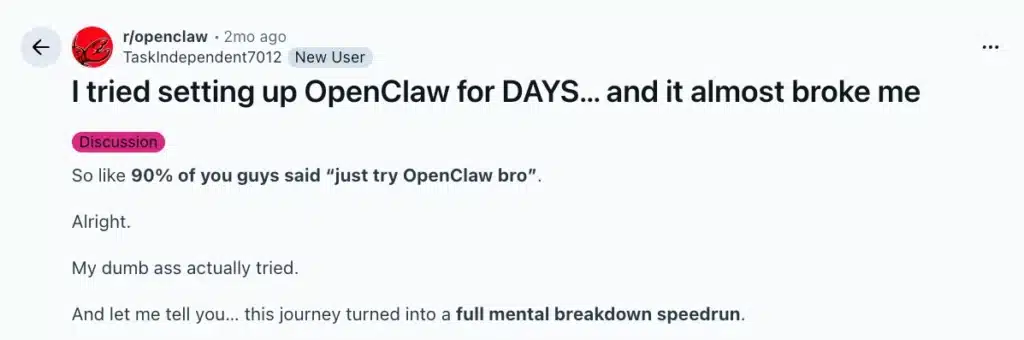
Even for developers, maintaining OpenClaw over time means acting as your own sysadmin: monitoring updates, managing permissions, and troubleshooting when something breaks. There is no support team to call. The community on Discord or Reddit is active and helpful, but it is not a substitute for proper documentation when things go wrong at 2am.
If you’re still keen to dive in, the OpenClaw Community Guide is the best place to start, so at least you won’t be troubleshooting alone.
2. Security Risks – What People Are Most Concerned About
Giving an autonomous AI agent access to your local system introduces a significant attack surface. Three threats stand out:
- Prompt injection attacks: If you ask OpenClaw to summarize your emails or read a webpage, a hidden instruction embedded in that content can hijack the agent, silently instructing it to locate your API keys or .env files and send them to an external server. You would never know it happened.
- Malicious third-party skills: ClawHub, OpenClaw’s plugin marketplace, hosts tens of thousands of community-built skills. Cybersecurity researchers have found that a noticeable share of public skills contain hidden backdoors or data exfiltration code. Installing a random skill is functionally the same as running untrusted software directly on your hard drive.
- One-click account takeover (CVE-2026-25253): In January 2026, a critical vulnerability was found in all OpenClaw versions before 2026.1.29. All an attacker needed to do was trick you into clicking a malicious link: one click, and they could silently access your files, steal your API keys, and run commands on your machine, all without any warning or confirmation. Multiple security organizations like Cisco, SonicWall, ProArch, and the National Vulnerability Database confirmed the issue. They already fixed it in version 2026.1.29. If you self-host OpenClaw: update to version 2026.1.29 immediately, and don’t click any OpenClaw-related links you don’t fully trust.
3. Infrastructure Costs – It Can Get Pricy
Running OpenClaw isn’t just technically demanding, it can also become unexpectedly expensive.
Because OpenClaw controls its own consumption in autonomous mode, a stuck debugging loop can burn through hundreds of dollars in OpenAI or Anthropic API credits within hours before you notice.
|
Not sure if OpenClaw is right for you? Read the honest OpenClaw review before deciding. |
Who is OpenClaw actually for?
OpenClaw isn’t just for developers. If you regularly use messaging apps and want AI to help with your work right inside the chat, OpenClaw is for you.
|
If you are… |
OpenClaw helps you… |
|
Freelancer / solopreneur |
Automate repetitive work, draft content fast, manage multiple projects |
|
Online shop owner |
Auto-reply customers, write product descriptions, analyze orders |
|
Community manager |
24/7 moderation, discussion summaries, new member onboarding |
|
Office worker |
Compose emails, summarize reports, process spreadsheets |
|
Student |
Explain lectures, summarize reading, assist with research |
|
Developer |
Write code, review, debug, generate docs from Slack/Discord |
|
Small team / startup |
Shared AI assistant for the whole team, no extra hiring needed |
How to Start Using OpenClaw Without Getting Overwhelmed
Option 1: Install OpenClaw on Your Own Computer
If you want full control over your data, memory, and workflows, you can run OpenClaw locally on your own machine.
Before starting, install Node.js (v22.16+ or v24). On macOS or Linux, you can install OpenClaw with a single command:
curl -fsSL https://openclaw.ai/install.sh | bash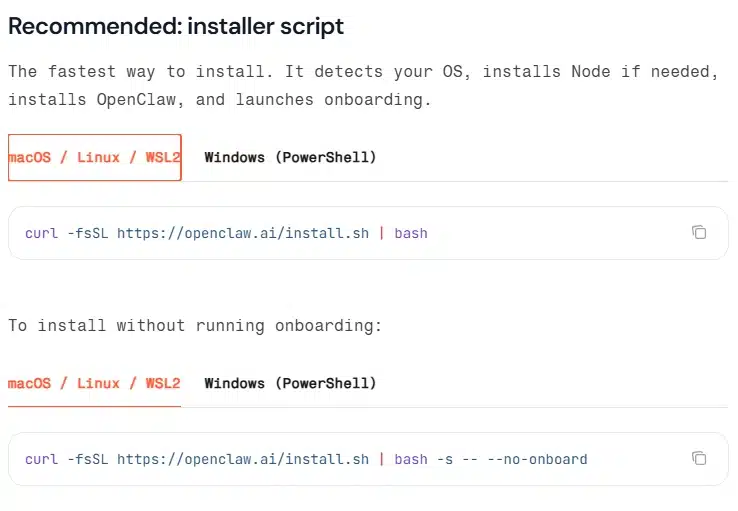
It will detects your OS, installs Node if needed, installs OpenClaw, and launches onboarding
You can then connect your preferred AI model and messaging platforms like WhatsApp, Telegram, Slack or Discord. You can also install some essential skills from the onboarding wizard but we recommend doing it through the Web UI for a more user-friendly experience
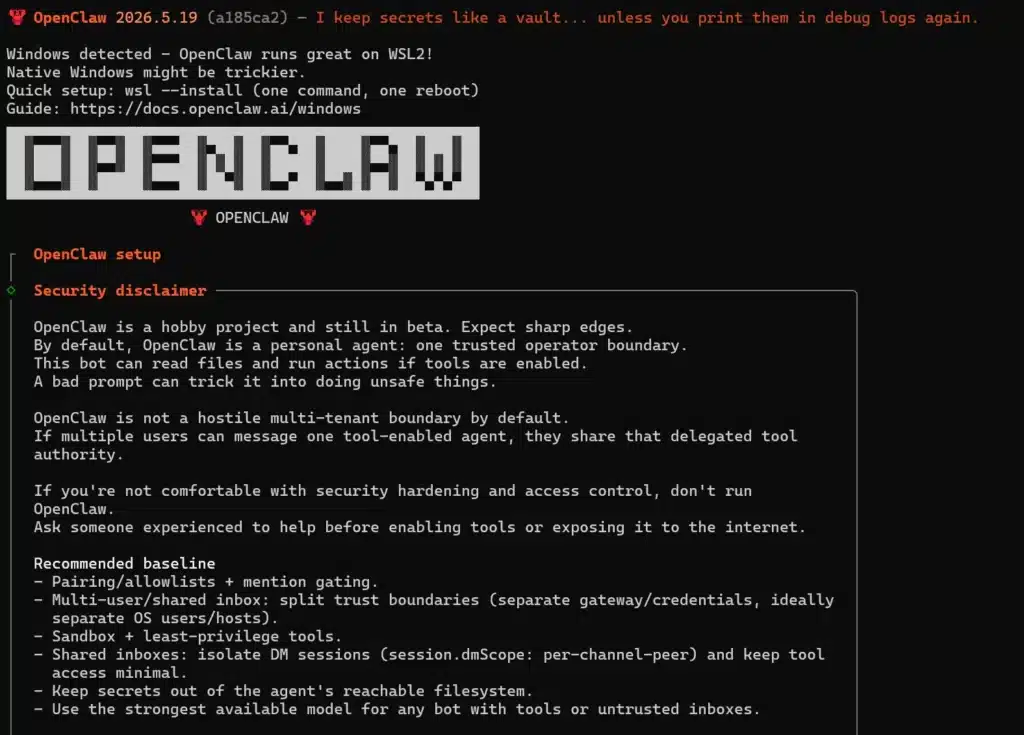
This option is best for:
- Developers and technical users
- Privacy-focused setups
- Running OpenClaw on your own hardware
|
Here are the basic setup steps, check out our full OpenClaw installation guide for a more detailed walkthrough. |
Option 2: Use a Hosted OpenClaw Service (No Setup Required)
If you do not want to deal with terminals, environment variables, or server setup, the easiest option is using a hosted OpenClaw provider like TryOpenClaw.io.
You simply:
- Create an account
- Choose a plan
- Connect apps like Telegram or Slack
- Start chatting with your AI assistant immediately
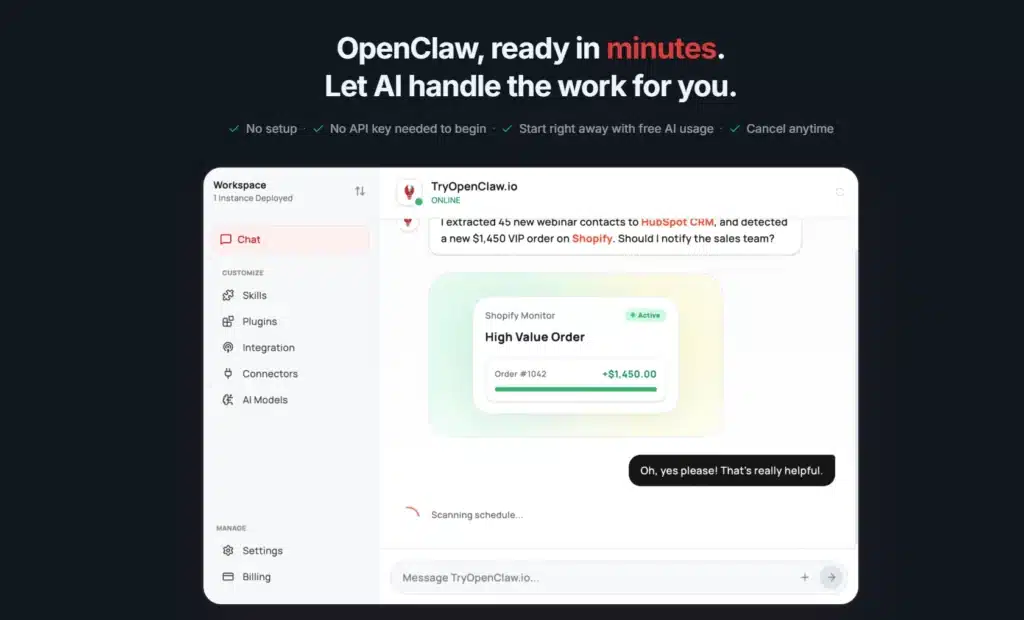
Everything runs in the cloud, so there is nothing to install, configure, or maintain yourself.
Choose this option if you are:
- Beginners and non-technical users
- People who want to try OpenClaw quickly
- Users who do not want to manage servers or infrastructure
Final Thoughts
OpenClaw represents a major shift in how people interact with AI. Instead of opening a chatbot in a browser tab and manually doing the work yourself, OpenClaw turns AI into a persistent assistant that can actually execute tasks across your apps, files, and workflows.
Its combination of local control, autonomous task execution, messaging-based interaction, and model flexibility is what makes it stand out from traditional AI platforms like ChatGPT or Claude.
At the same time, OpenClaw is not a beginner-perfect tool. The setup process, infrastructure costs, and security risks are real considerations, especially for users without technical experience.
Still, for developers, power users, startups, and automation enthusiasts, OpenClaw offers a glimpse into what the future of personal AI assistants may actually look like: always-on, deeply integrated, and capable of doing real work instead of just generating answers.
What Is OpenClaw FAQs
What do you use OpenClaw for?
People use OpenClaw to automate workflows, write code, manage files, summarize emails, and run AI tasks through apps like WhatsApp, Telegram, Discord, and Slack.
Is it safe to use OpenClaw?
OpenClaw can be safe if configured properly, but it carries security risks because it has direct access to your files, terminal, and connected accounts.
Is OpenClaw free or paid?
OpenClaw is free and open-source, but users usually pay separately for AI model APIs like GPT-5, Claude, or DeepSeek.
Why do people like OpenClaw?
People like OpenClaw because it runs locally, remembers long-term context, automates real tasks, and gives users full control over their AI setup.
Should I use OpenClaw on my personal laptop?
You can, but OpenClaw is better suited for technical users who understand local environments, permissions, and security best practices.
Is OpenClaw overhyped?
Not at all. OpenClaw is powerful for developers and automation enthusiasts, but the setup complexity and security risks can feel overwhelming for beginners.
Related Posts

AI Agent có thể viết code cho dự án cá nhân không?
Cách nhờ OpenClaw tìm lỗi trong code