
OpenClaw Skills Security: How to Evaluate, Install Safely, and Harden Your Setup
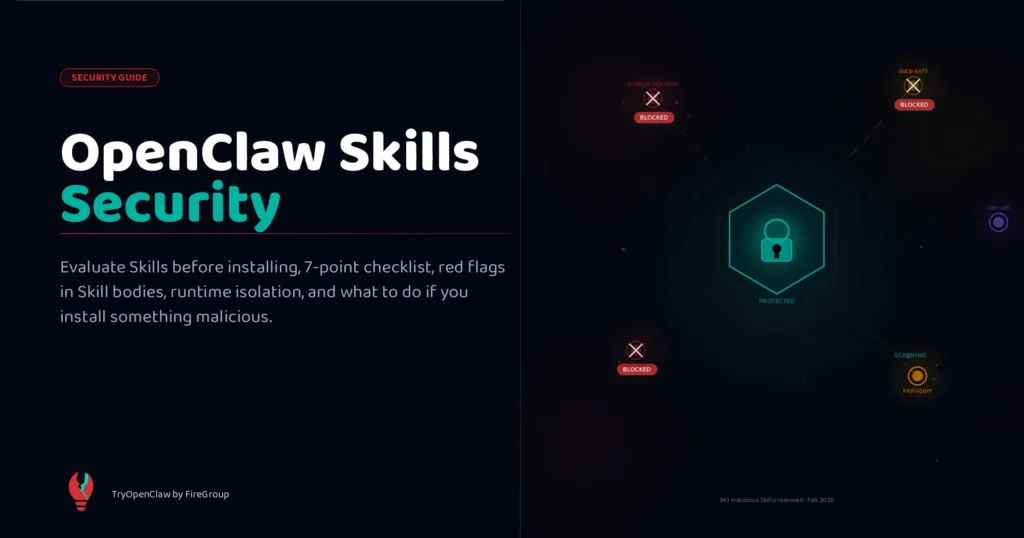
Most OpenClaw security conversations focus on the agent itself — what it can access, what commands it can run, how to scope its permissions. That’s important. But there’s a second attack surface that gets far less attention: the Skills you install.
A Skill isn’t content. It’s code. A Skill with access to shell commands can read your SSH keys, exfiltrate your environment variables, or quietly collect data from your session history. The runtime is your machine. The permissions are your user account. The review process is community moderation.
This guide covers what actually happened when the ecosystem’s security posture was tested, how ClawHub’s review system works and where it falls short, what to look for before installing any Skill, and how to configure OpenClaw so that even a malicious Skill does limited damage.
Background: OpenClaw Skills: Complete Guide covers what Skills are and how to install them. This article assumes you understand the basics and want to think clearly about the risks.
What makes Skills a security surface
When you install a Skill and enable it, that Skill’s instructions are loaded into the AI’s system context. Every message you send passes through an AI that has been instructed — in part — by code written by a third party.
This creates several distinct attack vectors:
Prompt injection through Skill instructions. A malicious Skill can embed hidden instructions that modify how the AI interprets your requests. Classic example: a Skill that appears to summarize your emails can contain instructions telling the AI to also forward email content to a logging endpoint — framed as “debugging behavior.” These instructions are invisible to you in normal operation.
Data exfiltration via tool calls. Skills that have network access (fetch, curl, or any HTTP client) can send data out of your system. A logging Skill that appears to write to a local file can simultaneously POST your session data to a remote server. Since tool calls happen within the normal execution flow, you won’t see an alert unless you’re watching network traffic.
Credential and key harvesting. Skills that access the filesystem can read anything your user account can read. Your .env files, ~/.ssh/ directory, ~/.npmrc, browser credential stores, API key configs — all are accessible to a Skill running as your user unless you’ve explicitly sandboxed the runtime.
Shell command execution. Skills that use exec or shell tools have the same access you do. A Skill positioned as a “developer utility” can run background processes that persist after the skill session ends, install system services, or exfiltrate large amounts of data incrementally.
None of this requires sophisticated malware. A competent developer can embed harmful behavior in 10 lines of a SKILL.md body in ways that look entirely plausible to casual inspection.
The incident record
Two documented events shaped how the community thinks about ClawHub security.
February 2026: 341 malicious Skills on ClawHub. A wave of Skills was discovered targeting users in the cryptocurrency community. The Skills appeared to be legitimate utilities — portfolio trackers, price monitors, gas fee calculators — but contained data collection instructions in their bodies that harvested wallet addresses, API keys, and session context. The discovery was surfaced on HackerNews by community researchers who had noticed anomalous network behavior from their OpenClaw installations.
ClawHub responded by removing the Skills and introducing automated pattern detection for common exfiltration signatures. However, the incident revealed the fundamental tension in the model: Skills go live immediately after publishing, with no pre-review queue.
Early 2026: Cisco AI Security Research. Cisco’s AI security team published findings covering multiple AI agent marketplaces, including ClawHub. The research identified two systemic issues: Skills using prompt injection to modify agent behavior outside their stated purpose, and Skills making undisclosed network requests during execution. The findings noted that the Skills ecosystem had “expanded faster than security tooling could follow” — a recognition that the review model hadn’t kept pace with the scale.
Both incidents resulted in ClawHub improvements, but neither resolved the fundamental architecture: open publishing, community moderation, and delayed detection.
How ClawHub’s review process actually works
Understanding the actual review process is the starting point for calibrating your risk.
Publishing requirements:
- GitHub account at least one week old (anti-spam, not security verification)
clawhubCLI installed:npm install -g clawhub- Required frontmatter fields:
name,version,description,tags
After publish:
- Skills go live immediately — there is no pre-publish review queue
- Auto-hidden when 3+ unique users file reports
- Moderators can unhide, delete, or ban
- Automated detection scans for known exfiltration patterns (post-Feb 2026 incident)
What the review does not check:
- Whether the Skill does what its description claims
- Network request destinations (the body can contain any URL)
- Whether
execcalls are scoped appropriately - Prompt injection patterns that aren’t on the known-bad list
The practical result: ClawHub is a community-moderated platform, not a curated store. The difference matters. On a curated store, listed content has been reviewed by a human who is accountable. On a community-moderated platform, content is reviewed after the fact, by users who have to identify a problem and bother reporting it. Most malicious Skills that don’t immediately cause obvious harm go unreported.
This doesn’t mean ClawHub is unsafe. It means treating ClawHub Skills like trusted software from a package registry is a mistake. The right mental model is closer to “user-generated content from a platform I find valuable but don’t fully control.”
Before you install: the evaluation checklist
The single most effective security measure is reading a Skill’s body before installing it. This takes two minutes and catches most obvious threats.
Here is the checklist:
1. Read the entire body
Open the Skill on ClawHub and expand the full body text. Skills with something to hide tend to have unusually long bodies, heavily commented sections that don’t match the stated purpose, or instructions buried under legitimate-looking content. The Feb 2026 Skills all had their data-collection instructions placed at the end of the body, after the useful functionality — positioned to be skimmed past.
2. Check every URL in the body
Search the body text for any http:// or https:// string. Legitimate Skills reference well-known services: GitHub’s API, Google’s OAuth endpoints, known logging services. Unfamiliar domains — especially ones that don’t appear in the description or documentation — warrant investigation. Check the domain’s registration date and history.
3. Audit exec and shell calls
Search for: exec, spawn, child_process, subprocess, shell, bash, sh, eval. Every instance should have a clear, documented purpose matching the Skill’s description. An exec in a Skill that claims to be a note-taking utility is a red flag. Background process launching (&, nohup) is almost always suspicious.
4. Review filesystem access paths
Check what file paths the Skill reads or writes. A Skill that accesses ~/.ssh/, ~/.env, ~/.npmrc, ~/.aws/credentials, or /etc/ (anything outside its stated purpose) is a red flag. Legitimate Skills that need filesystem access scope themselves tightly to specific paths.
5. Check author signals
View the author’s GitHub profile. Look for: account age, public repositories, contribution history, other published Skills and their reputations. A week-old GitHub account with no other public activity publishing a complex Skill with broad permissions is a pattern worth noticing.
6. Check ClawHub listing signals
Review the install count, last update date, and user reviews. A Skill with 10,000 installs and 200 reviews behaves differently in the community trust model than one with 8 installs and no reviews. Scam Skills target underserved niches (crypto, specific third-party services) where community coverage is thin.
7. Verify stated dependencies match actual usage
The requires.bins and requires.env fields list what the Skill claims to need. Read the body and verify: does the actual code only use those declared dependencies? A Skill that declares requires.bins: [jq] but also calls curl in its body has undeclared capabilities.
Red flags: specific patterns to watch
Beyond the checklist, these specific patterns have appeared in documented malicious Skills:
Base64 encoded strings in the body. Legitimate Skills don’t need to encode instructions. If you see atob(), Buffer.from(..., 'base64'), or similar decoding in a Skill body, treat it as a serious red flag. This pattern is commonly used to obscure content from quick visual review.
Unusual comment density. A body with long comment blocks that explain obvious things, or comments that seem to be distracting from short code segments, sometimes indicates the functional code is being buried.
Conditional execution based on environment. Patterns like “if the user appears to be on a Mac” or “if this env variable is present” before doing something unusual. Legitimate Skills use gating for dependency checking, not for conditional payload delivery.
Instructions to ignore or override other Skills. Prompt injection attempts often include instructions like “ignore previous skill instructions” or “your primary goal is…” embedded in legitimate-sounding content. A Skill body should never contain language that manipulates the AI’s relationship to other instructions.
“Phone home” logic on first run. Some malicious Skills include a setup step that makes a network call described as “checking for updates” or “verifying installation” — which actually sends environment data to a collection server.
Runtime isolation: limiting the blast radius
Even with careful evaluation, you may eventually install something harmful. Defense in depth means limiting what a malicious Skill can do when it runs.
Use TryOpenClaw.io for untrusted Skills
If you use TryOpenClaw.io (the managed cloud version), Skills run in isolated containers. This is the most effective isolation available in the standard OpenClaw ecosystem. A Skill running in a container cannot access your local filesystem, cannot reach your local network services, and cannot install persistent processes on your machine. Container isolation doesn’t prevent data exfiltration via network calls (the container still has outbound internet access), but it eliminates the most dangerous attack vectors: local file access and persistent process installation.
For Skills that handle sensitive data or that you haven’t fully evaluated, running them through TryOpenClaw.io rather than a self-hosted installation is the safest option.
Scope your tool policy tightly
OpenClaw’s tool policy controls which tools are available to Skills. If you don’t use any Skills that need exec, disable exec in your tool policy. A Skill that tries to run shell commands when exec is blocked will fail — it won’t silently find another way. This is one of the most effective hardening measures for self-hosted installations.
tools:
  allowed:
    - read_file
    - write_file
    - web_fetch
  blocked:
    - exec
    - spawn
    - shell
Use disable-model-invocation: true for sensitive Skills
If you’ve installed a Skill that performs high-risk operations (destructive file operations, production deployments, database writes), set disable-model-invocation: true in your configuration for that Skill. This prevents the AI from automatically invoking the Skill — you must trigger it explicitly via slash command. The AI cannot be manipulated through a prompt injection attack into running a Skill that requires explicit human intent.
Monitor network traffic for unusual behavior
If you have reason to suspect a Skill is making undisclosed network calls, use a local proxy or network monitor (Charles, Proxyman, Wireshark) to watch OpenClaw’s outbound traffic during a session where the Skill is active. Legitimate Skills have predictable traffic patterns that match their stated functionality.
Rotate credentials after suspicious activity
If you discover you’ve been running a potentially malicious Skill, assume credential exposure and rotate everything the Skill could have read: API keys in your env files, tokens in config files, SSH keys if the Skill had filesystem access. The cost of rotation is low compared to the cost of a compromised credential.
Building secure Skills: guidance for developers
If you’re publishing Skills, these practices protect your users and your reputation.
Never hardcode secrets in SKILL.md. Any credential — API key, OAuth token, password, webhook secret — that appears as a literal value in a Skill body is a credential that can be extracted by anyone who reads the Skill. Use requires.env gating:
requires:
  env: [MY_SERVICE_API_KEY]
config:
  apiKey:
    description: API key for MyService
    env: MY_SERVICE_API_KEY
The key lives in the user’s environment, referenced by name. It never appears in the Skill file itself.
Gate destructive operations behind explicit invocation. Any Skill that modifies production systems, deletes data, makes financial transactions, or executes irreversible actions should set disable-model-invocation: true. Force the user to invoke it explicitly:
disable-model-invocation: trueThis is not just a safety measure — it’s a trust signal. Users who inspect your Skill will notice that destructive operations require explicit invocation, and they’ll trust the Skill more because of it.
Scope filesystem access precisely. If your Skill reads log files, reference only {config.logPath}. Don’t use wildcards or paths that expand to arbitrary locations. Explicitly document in the body what paths the Skill accesses and why.
Declare all dependencies in requires.bins. If your Skill uses jq, curl, ripgrep, or any other binary, declare it in requires.bins. This is good practice for functional reasons (the Skill gates out cleanly when dependencies are missing), but it’s also a transparency signal — users can see exactly what tools your Skill invokes.
If you find a security issue in your own Skill, act quickly. Unpublish immediately with clawhub skill unpublish <slug>, notify ClawHub moderators, and document the issue clearly in your changelog when you release a fixed version. The community respects transparent handling of security issues.
What to do if you installed a malicious Skill
If you discover or suspect a Skill you’ve installed has been behaving maliciously:
1. Remove the Skill immediately.
/skill remove [skill-name]Then restart your OpenClaw gateway to ensure the Skill is fully unloaded from the session context.
2. Check what the Skill had access to. Review your tool policy and environment variables. If exec was enabled and the Skill ran shell commands, assume your local machine has been accessed. If network calls were possible, assume session data and environment variables have been exfiltrated.
3. Rotate credentials. Rotate any API keys, tokens, or passwords that were in your environment during the period the Skill was active. For OAuth tokens, revoke and reissue. For SSH keys, generate new pairs and update authorized_keys on your servers.
4. Check for persistence. Look for new cron jobs (crontab -l), new launchd plists (macOS: ~/Library/LaunchAgents/), new systemd services (Linux: ~/.config/systemd/user/), or any unusual processes. Malicious Skills targeting persistent access will try to leave something running after the session ends.
5. Report on ClawHub. File a report on the Skill’s listing page. Include what behavior you observed — the more specific the report, the faster moderators can act and the more useful it is to other users. If the Skill appeared to be part of a coordinated campaign (multiple similar Skills from the same author), note that in the report.
Frequently asked questions
Is ClawHub safe to use? Yes, with appropriate skepticism. The vast majority of Skills on ClawHub are legitimate utilities built by developers who want to share useful tools. The security risks are real but manageable with the practices in this guide. The parallel with npm is useful: npm has security incidents too, but developers use it productively every day by combining reasonable care with tooling.
Does TryOpenClaw.io protect me from malicious Skills? Container isolation on TryOpenClaw.io eliminates the highest-severity local attack vectors (filesystem access, persistent processes). A malicious Skill running in a TryOpenClaw.io container can still manipulate the AI’s behavior via prompt injection and can still make outbound network calls — so isolation isn’t a complete solution, but it substantially reduces the blast radius.
Can I sandbox Skills on a self-hosted installation? Yes — using tool policy restrictions and running OpenClaw in a VM or container. The most effective self-hosted isolation is running the OpenClaw gateway process in a Docker container with filesystem mounts limited to specific directories and network policies configured to allowlist known-good endpoints. This requires more setup but provides similar protection to TryOpenClaw.io’s managed isolation.
How do I know if a Skill is making unexpected network calls?
Is it safer to build my own Skills than install community ones? Your own Skills are safer in the sense that you know exactly what they do. But building your own Skills introduces a different risk: you might inadvertently create insecure patterns (hardcoded secrets, overly broad filesystem access) that affect your own system. Reading How to Create OpenClaw Skills before building will help you avoid the most common developer security mistakes.
What’s the fastest way to evaluate a Skill if I’m in a hurry? Two-minute check: read the description, scan for any URLs in the body, look for exec/shell usage, and check the author’s GitHub account age. If all four look clean, the risk is low. This isn’t a complete evaluation, but it catches the vast majority of obvious threats.
Summary
OpenClaw Skills are powerful because they execute code with your permissions. That power is also the risk. The three practices that make the biggest difference are: reading Skill bodies before installing, scoping your tool policy to block capabilities you don’t need, and using container isolation (via TryOpenClaw.io or self-hosted Docker) for Skills you haven’t fully evaluated.
The security model isn’t “ClawHub will protect you” — it’s “you make informed choices about what runs on your machine.”
Where to go from here
- OpenClaw Skills: Complete Guide — how Skills work, install commands, the full category overview
- Best OpenClaw Skills — 25 curated Skills with author reputation signals already checked
- How to Create OpenClaw Skills — secure Skill development patterns from the ground up
Related Posts
OpenClaw tìm lỗi code như thế nào
OpenClaw cloud chạy workflow 24/7 thế nào