To get useful work from an AI coding agent project context, share the code, conventions, dependencies, and constraints that shape the change—not the whole repository. This helps the agent make suggestions that fit the project you already have.
Give the agent the project context that shapes the change
Give an AI coding agent the files, conventions, dependencies, and task constraints that shape the change—not the whole repository. For an existing codebase, the useful context is the material that helps the agent understand where the change belongs, how nearby code works, and what must remain compatible. This makes the request more specific without burying the relevant details in unrelated files.
Start with the goal and scope: describe the behavior you want, where it should appear, and what is outside the request. Then provide the code most closely connected to that behavior, such as the file that calls a function and the module it depends on. Add nearby examples that show the project’s naming, formatting, error handling, or testing patterns. If the change relies on a library or runtime, include the relevant version or configuration rather than assuming the agent can infer it.
Useful constraints are concrete: preserve a public interface, avoid changing a particular module, support a specified runtime, or keep the solution within an existing dependency. State these before asking for code so the agent can account for them while proposing an approach. You can phrase the request as: “Update this handler to accept the new field, follow the validation pattern in the adjacent handler, and do not change the response schema.”
The primary keyword, AI coding agent project context, is best understood as a focused working set, not a repository dump. Share enough to connect the requested change to the project’s actual structure and rules, while leaving unrelated implementation details out. If you are unsure whether a file matters, include it only when it clarifies a dependency, an existing pattern, or a boundary the change must respect.
Point to the files and dependencies the change relies on

Point the agent to the files that define where the change starts, what it depends on, and how it fits into the application. For a bug in a checkout flow, that might mean the route or UI component where the behavior appears, the service it calls, the relevant tests, and the configuration that controls the checkout environment. This targeted set gives an AI coding agent project context it can use without asking it to infer the whole repository.
Start at the Entry Point
Find the place where the affected behavior enters the codebase: a route, component, command handler, scheduled job, or public function. Then follow its direct imports or calls to the modules that implement the behavior. Include the tests closest to that path, especially when they show expected inputs, outputs, or edge cases.
Include Relevant Configuration and Dependencies
Share configuration files when they influence the change, such as environment-specific settings, build configuration, or feature flags. Identify the package manifest and lockfile, and name the library or runtime versions the project actually uses. If the task touches a framework integration, include the wrapper or adapter code as well as the dependency entry; a package name alone may not reveal how your codebase uses it.
Before sending files, check that they relate to the requested behavior and are current on the branch you are changing. If you are unsure whether a module matters, trace the imports from the entry point or search for the function, component, or configuration key involved. Avoid including unrelated modules: a smaller, connected set makes it easier to distinguish the project’s actual implementation from assumptions.
State conventions and boundaries the code must follow
State the conventions and boundaries the change must follow before asking an AI coding agent to modify an existing codebase. Point to a nearby example of the pattern you expect, name the supported language or framework versions, and specify which files, interfaces, or behaviors must remain unchanged. This helps the agent shape its work around your project rather than introduce a different approach.
Be concrete about conventions. Instead of saying “follow our style,” say to match the error handling and naming used in a particular module, or to use the project’s existing test structure. If a change should preserve a public function signature, request and response shape, database schema, or configuration format, name it explicitly. You can also call out constraints such as not adding a dependency, not changing generated files, or keeping the change within one package.
Define the intended scope in terms of what should change and what should not. For example: “Add input validation to the existing handler, keep its return format unchanged, and update the related tests; do not refactor neighboring modules.” This gives the agent a clear target and makes its proposed changes easier to review. If the task depends on a specific runtime or framework version, state that version rather than relying on the agent to infer it.
Keep boundaries relevant to the task. A long list of unrelated rules can obscure the requirement that matters, while vague directions leave room for assumptions. If you cannot share the relevant code or project conventions, say so and ask for a general suggestion rather than presenting it as a change tailored to your codebase.
Refresh context when the codebase or task changes
Refresh the agent’s context whenever the files, dependencies, or requirements it relies on have changed. Before asking for another edit, check that the referenced files are still current and provide the relevant updates, so the agent does not base its work on a previous version of the project.
If a file has moved or been replaced, point the agent to its new location and identify which earlier reference is no longer valid. When a dependency changes, share the updated version or configuration details that affect the task. For a change in requirements, state what is different and whether that changes the expected behavior or limits of the work.
Keep updates tied to the specific task. For example, if you change the module the agent is editing, provide the current module and any related interface or test that informs the change. If the requested behavior has shifted, clarify what the agent should now preserve and what it may modify. This gives the agent a usable current picture without requiring you to resend unrelated project material.
When you cannot share relevant project files or details, say so rather than expecting precise code-specific advice. You can describe the behavior, the visible error, or the constraints you are able to disclose, but recommendations may not match private conventions, dependencies, or implementation details the agent cannot see. Review suggestions against the actual codebase before applying them.
Use OpenClaw to work with coding tasks in a cloud environment

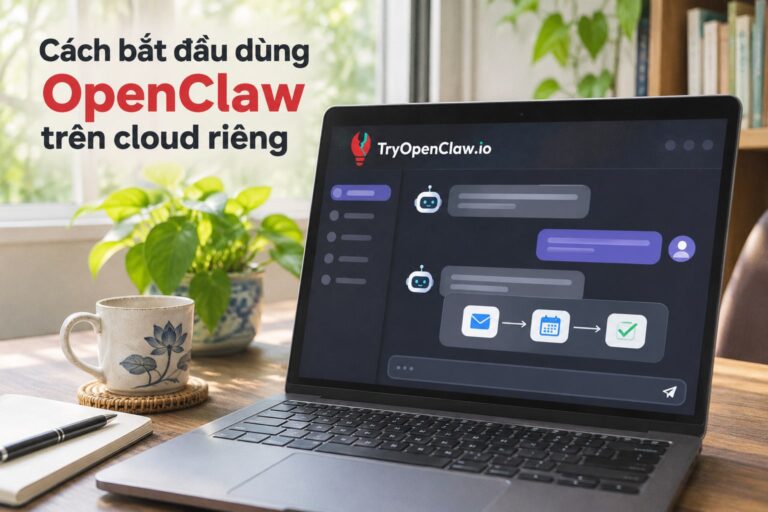
OpenClaw gives you a cloud environment for working with coding tasks through an AI Agent, without having to install it yourself. TryOpenClaw provides OpenClaw on cloud for individuals, developers, and businesses that want to use AI Agents. For an existing codebase, you can direct the agent to the project material relevant to a specific change rather than expecting it to infer how your code is organized.
An AI agent for coding can read API documentation, write code, find bugs, and suggest improvements. For example, you might ask it to use a particular API in a feature, then provide the relevant documentation and project files so its suggestions reflect your current implementation. You can also ask it to inspect a focused part of the codebase for a likely bug or propose a change that fits the patterns already in use.
Keep each request grounded in the work at hand: name the outcome you need, point to the files or documentation the agent should consider, and state any constraints that affect the change. Review its suggestions against your project before applying them, especially when they touch existing behavior or dependencies. The agent can help you move through coding tasks, but the project context you provide is what helps make its output relevant to your codebase.
With TryOpenClaw, you can use OpenClaw through a cloud environment instead of setting it up on your own machine. That can be a practical starting point when you want to try an AI Agent on development work without first handling a local installation.
Better project context helps code fit your existing work
Useful project context helps an AI coding agent make changes that fit the codebase rather than producing code in isolation. For a change you can maintain, give the agent the files, conventions, and constraints that shape the work, then check whether its suggestions align with the project before applying them.
This approach is especially useful when you are testing an agent on an existing project: you can start with a focused task and the material it depends on, instead of expecting the agent to infer how the whole repository works. If the task touches an established interface or pattern, make that relationship clear so the suggested change has a better chance of fitting the work already in place.
Project context is not a one-time handoff. When the task or codebase changes, review the details you have shared and update anything that no longer reflects the current files, dependencies, or requirements. If you cannot share relevant project material, keep the request within what the agent can assess and verify the result against your codebase yourself.
The practical takeaway is to give the agent the project details that shape the change, rather than treating generated code as separate from your existing work. To try an AI agent for programming tasks in a cloud environment without setting it up yourself, start with TryOpenClaw’s coding agent and bring it a focused task from your project.
Related Posts

Cách chạy workflow tự động hóa 24/7 trên cloud cho doanh nghiệp

How to Handle AI Agent Workflow Dependencies